If you have upgraded you Android device to 4.2 jelly bean
You will not find "developer options" under settings menu because Google™ has hidden it under "About device"
How to enable developer options?
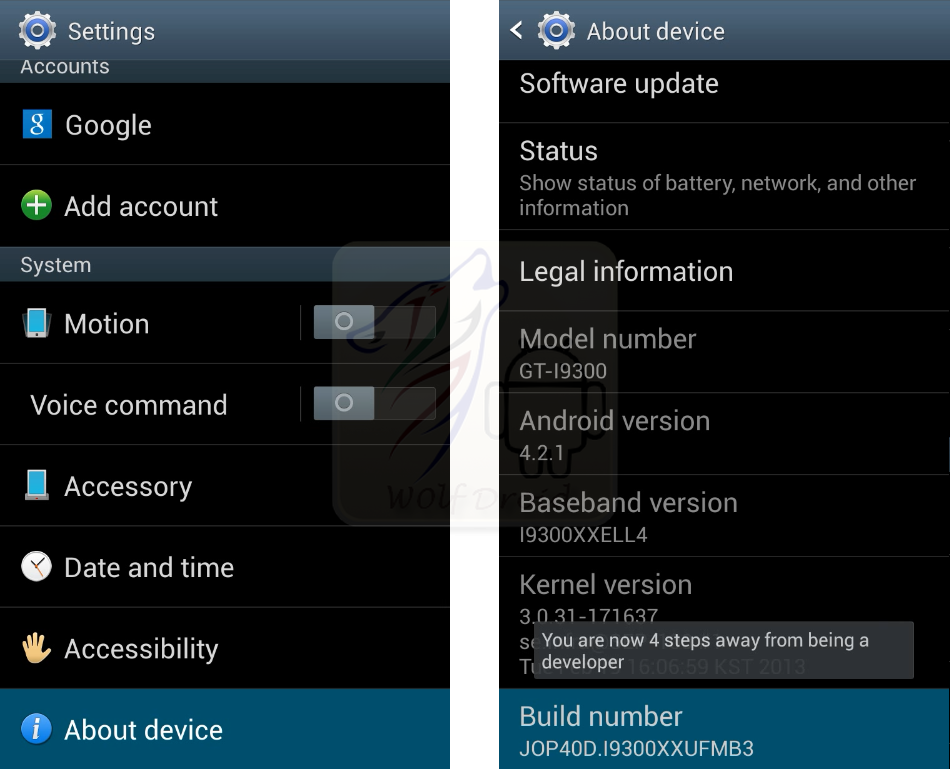
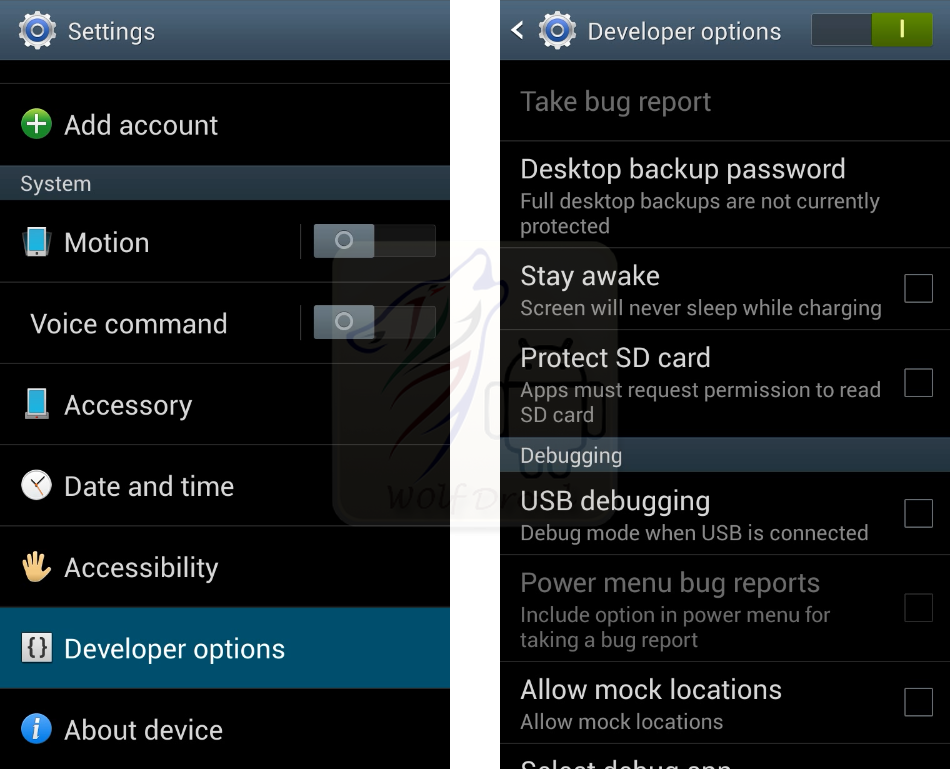
You will not find "developer options" under settings menu because Google™ has hidden it under "About device"
How to enable developer options?
- Go to settings and scroll down to "About device" or "About phone"
- Scroll down to "Build number"
- Tap on "Build number" 5 times (you will see "You are now * steps away from being a developer" )
- Go back now to Settings and you will find "developer options"
YT Video link : http://www.youtube.com/watch?v=FR6RWCkVnzI

comment 0 التعليقات:
more_vertsentiment_satisfied Emoticon